Senographe DS IDC Detector Communication Failure & Automatic Shutdown
A mammography system developed two different IDC failures: loss of detector communication that prevented scanning, followed later by automatic IDC shutdown caused by CPU overheating. Both faults were isolated and corrected at the subsystem and component level.
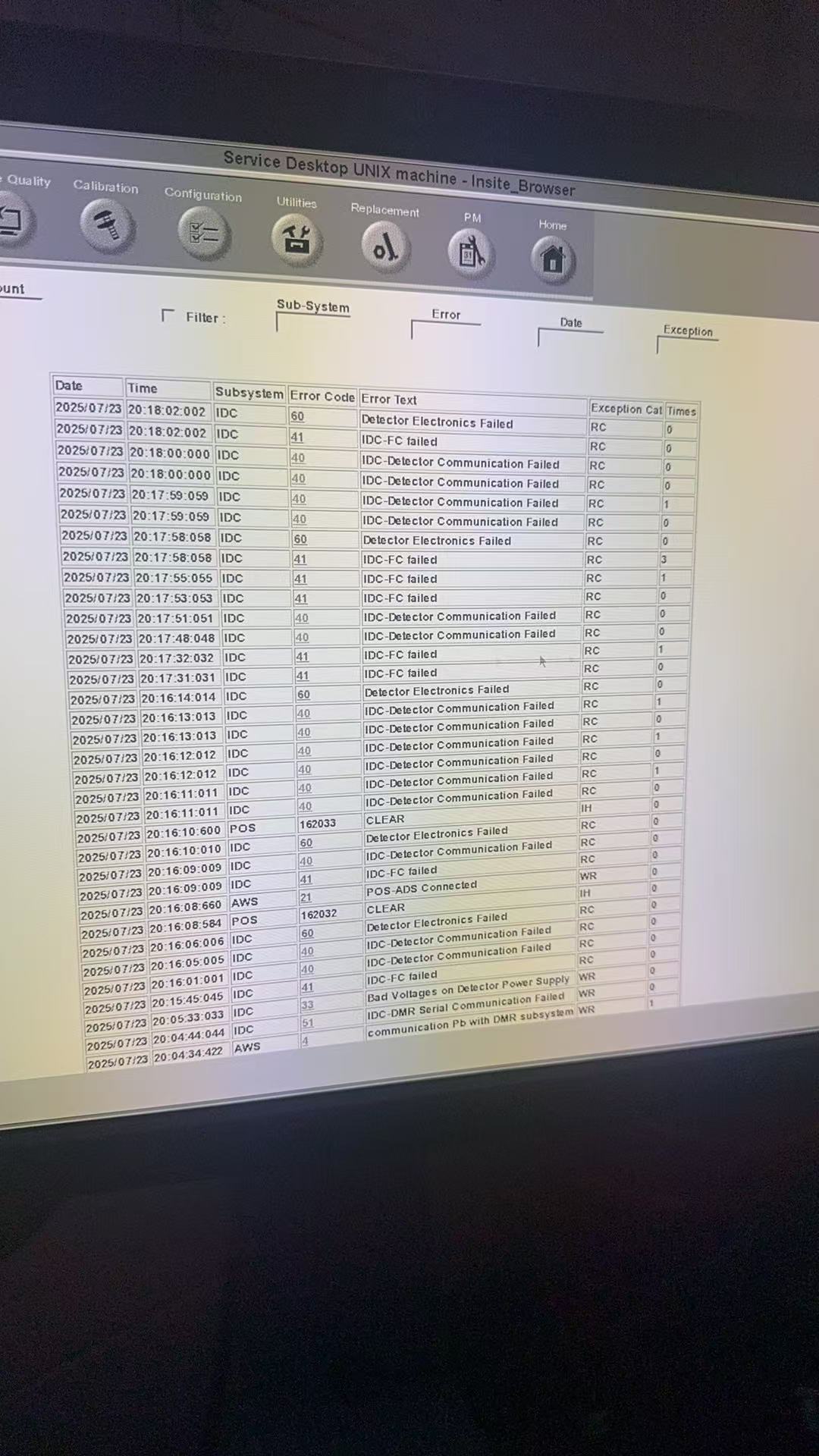
The system could not scan because the IDC lost communication with the detector.
The error history repeatedly reported “IDC - FC Failed” and “IDC - Detector Communication Failed.” Service documentation showed that the IDC communicates with the detector through a fiber-optic connection.
Diagnostic testing showed normal communication between the IDC, host system and conditioner. The failure was isolated specifically to the IDC-to-detector path.
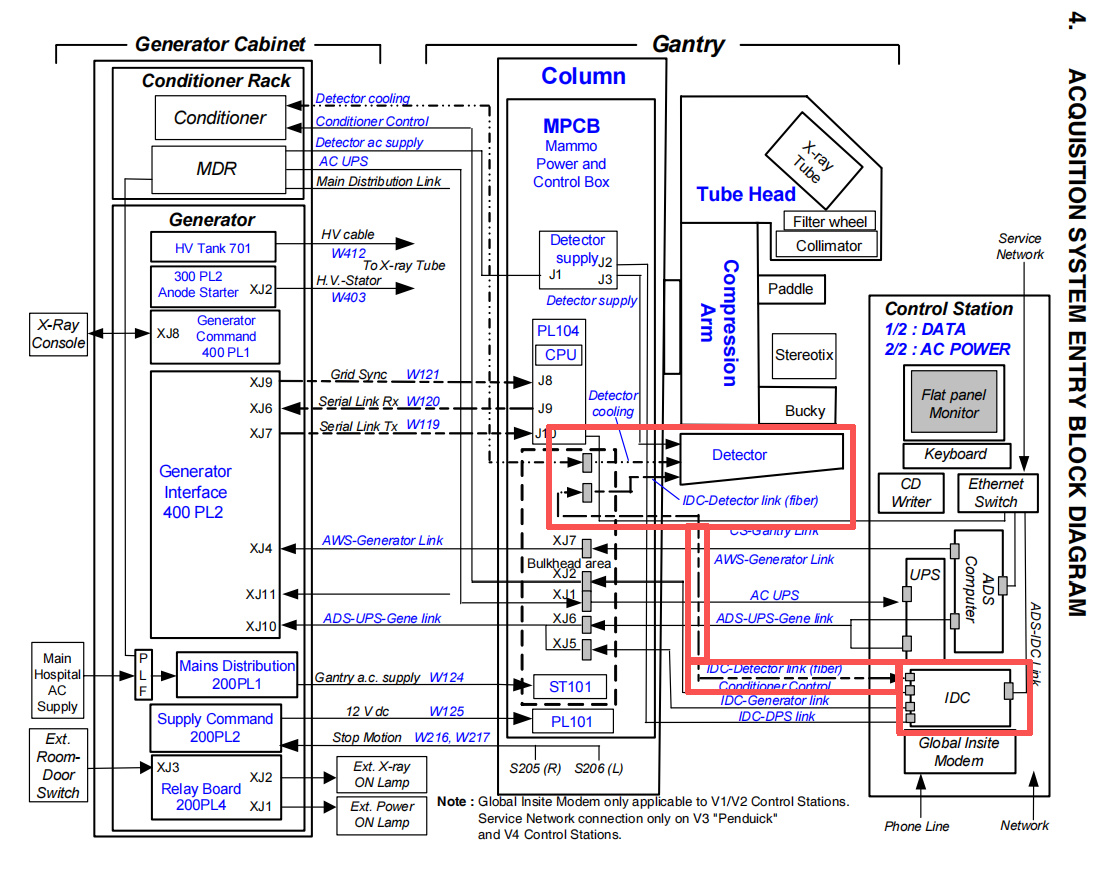
Narrow the fault to the fiber communication path before replacing major assemblies.
Because the IDC communicated normally with the other subsystems, troubleshooting focused on the fiber interface board, fiber connection and detector-side communication path. A fault indication was also visible on the IDC fiber interface board.
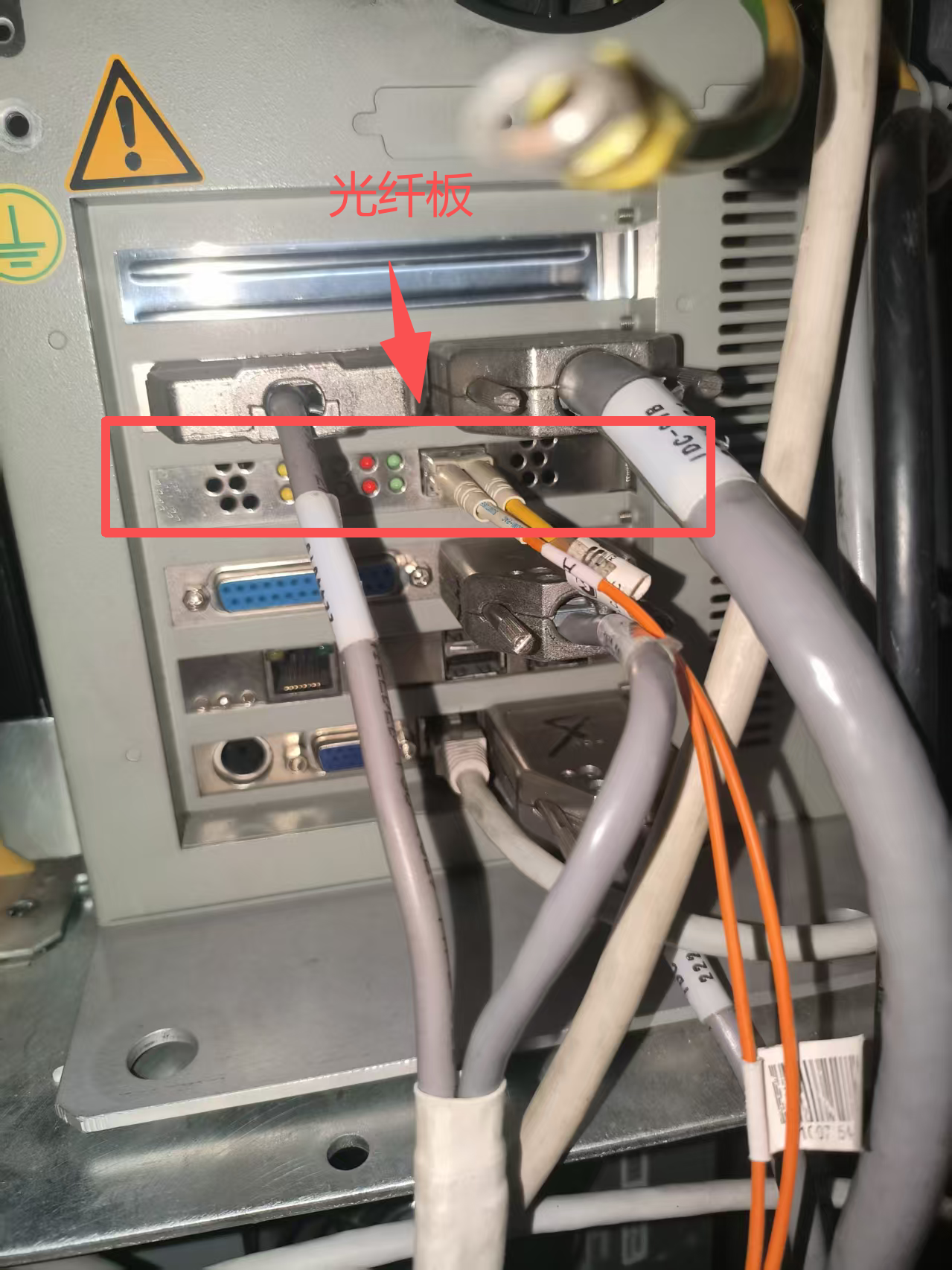
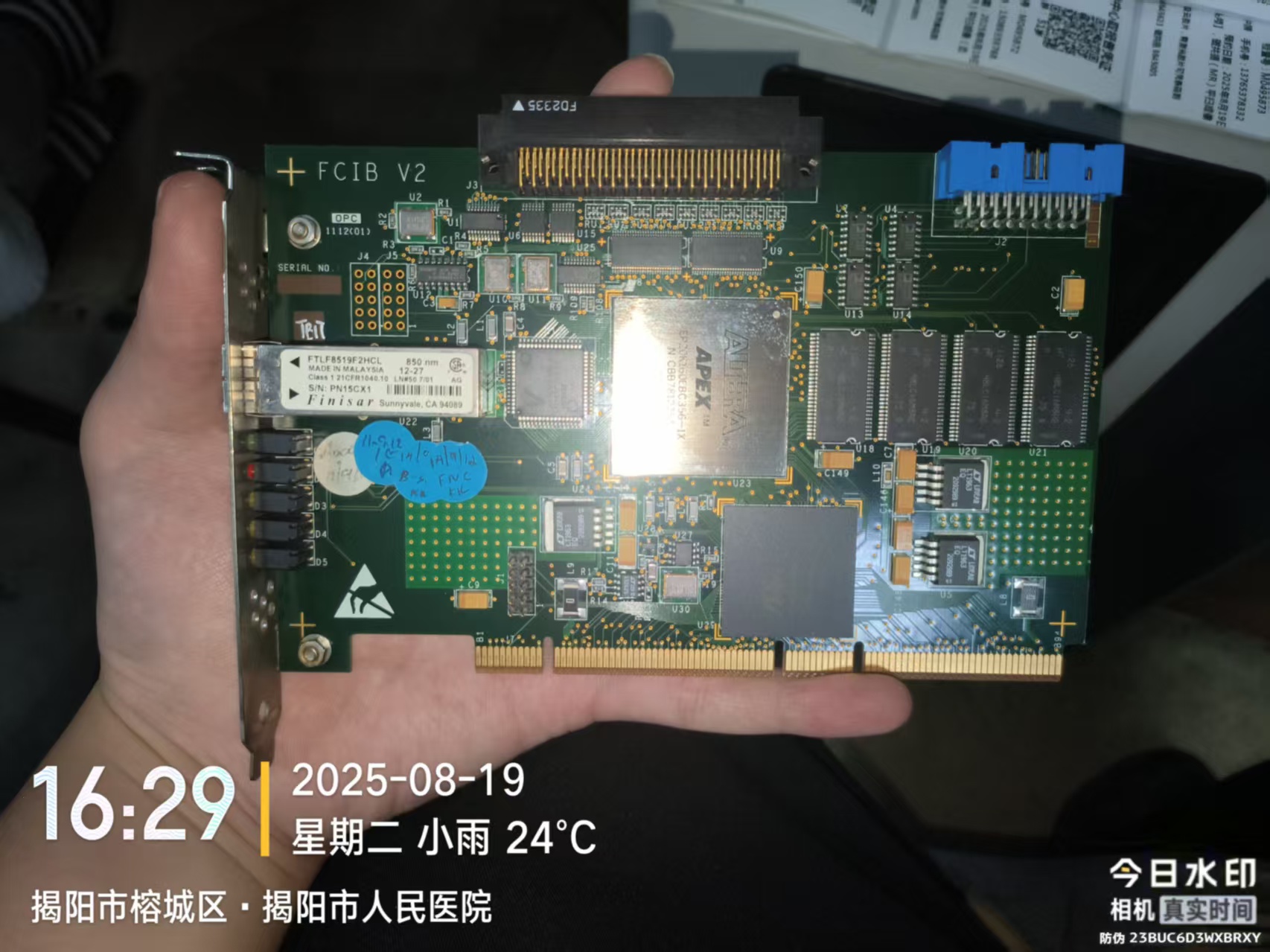
Bench testing confirmed failure of the fiber interface module.
The IDC fiber module was removed and tested. The module was unable to produce the required optical output, confirming the communication fault at the board and module level.
After the fiber interface module was repaired and reinstalled, detector communication was restored and the machine returned to normal operation.
A later automatic shutdown had a completely different root cause.
During a later service event, the IDC began shutting down during operation. The system log reported “IDC - CPU overheat,” directing troubleshooting toward thermal management rather than the detector communication path.
Inspection found the CPU cooling fan mechanically binding and difficult to rotate. When powered independently, the fan failed to run.
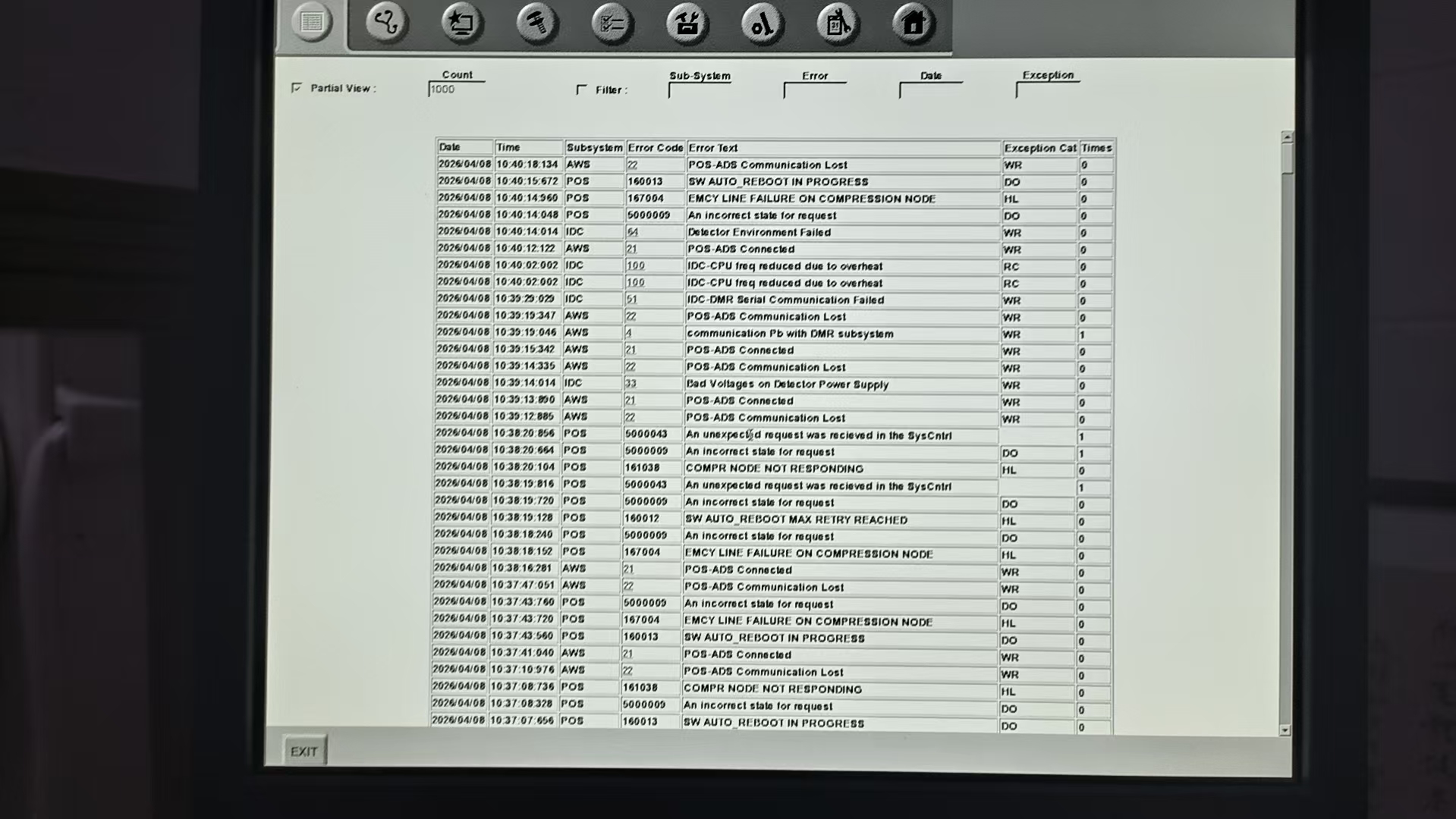
Replacing the failed CPU fan eliminated the shutdown condition.
The defective cooling fan was replaced with a matching unit. After replacement, the IDC no longer shut down automatically. The system was observed for several days with no further abnormal operation.
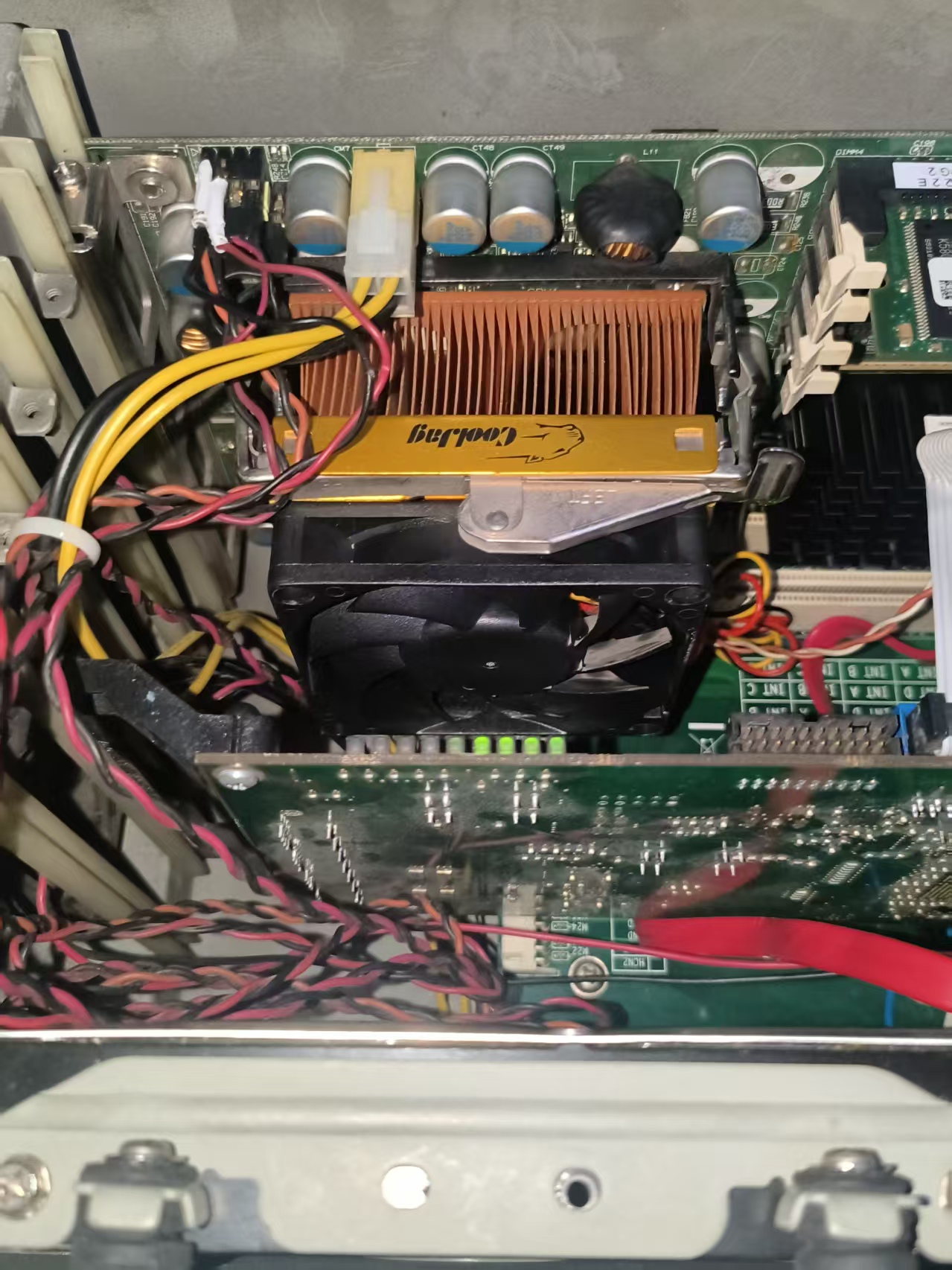
Similar symptoms do not necessarily mean the same failure.
The two IDC events affected the same subsystem but required different diagnostic paths: one was a fiber communication failure and the other a thermal-management failure. Effective repair depends on using error data and system architecture to isolate the actual cause.
Need Help With an Electronic Equipment Failure?
Send us the error history, service documentation, board photos or failed assembly. MIRRENO can review the system architecture and determine a practical diagnostic and repair approach.
START A PROJECT →